This work focuses on developing procedural tools in Unreal Engine with the PCG framework to help artists create environments faster while maintaining creative control. The main focus is a Scatter Tool with features such as seed-based placement, stacking, physics simulation, and Data Table integration, with the next step being an expansion into procedural building generation.
Exploring Unreal Engine’s PCG Framework
The PCG Framework in Unreal Engine allows developers and artists to create systems that generate content procedurally. Instead of manually placing every asset, PCG makes it possible to define rules and parameters that automatically generate content. This opens the door to building tools for things like asset placement, biome generation, road and river systems, and village or environment clustering. Procedural workflows like these make it easier to iterate quickly and experiment with different layouts during production.
The Scatter Tool
/uploads/library/2026/08/db870f83-f486-4aaa-baf8-dc5e83b95c53-shelves-ezgif-com-resize.gif
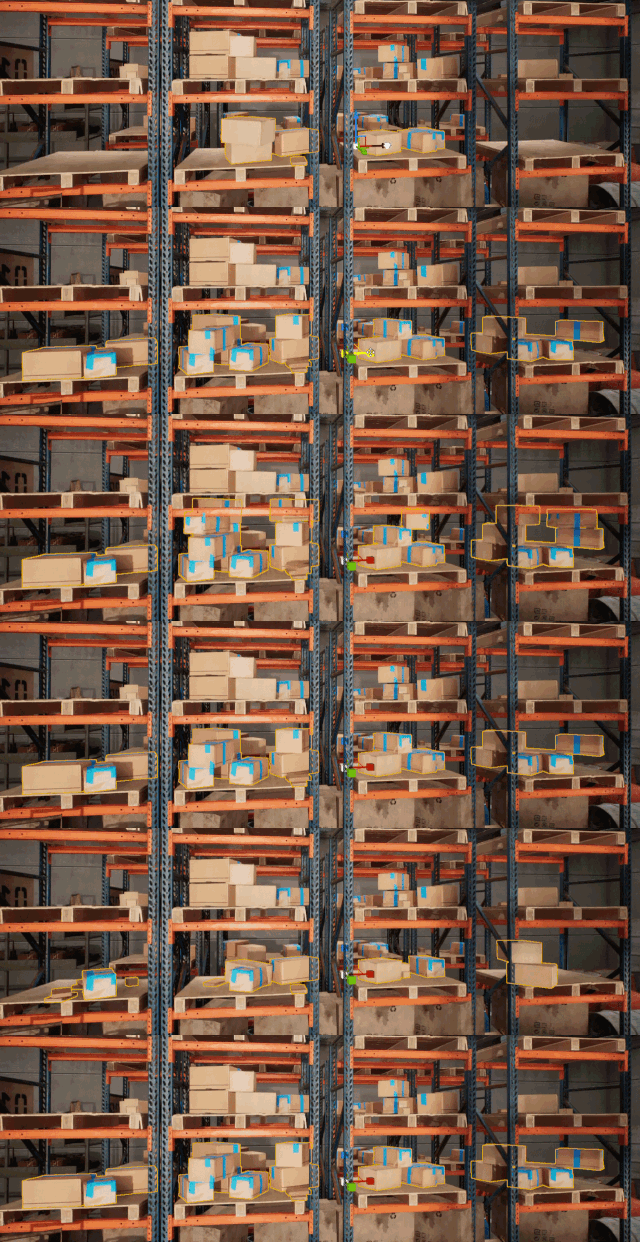
The main tool I’ve been working on is a Scatter Tool designed to quickly populate surfaces or environments with assets. The idea behind it is simple: give artists a way to fill areas such as shelves, scenes, or larger environments in only a few clicks.
The tool includes several features that improve both speed and control.
Fast environment population
Artists can scatter assets quickly across a defined surface or area, reducing the amount of manual work needed to fill a space.
Seed-based placement
/uploads/library/2026/08/95a8206c-4ef7-4599-93bb-b6ad3ee85324-seed-ezgif-com-resize.gif
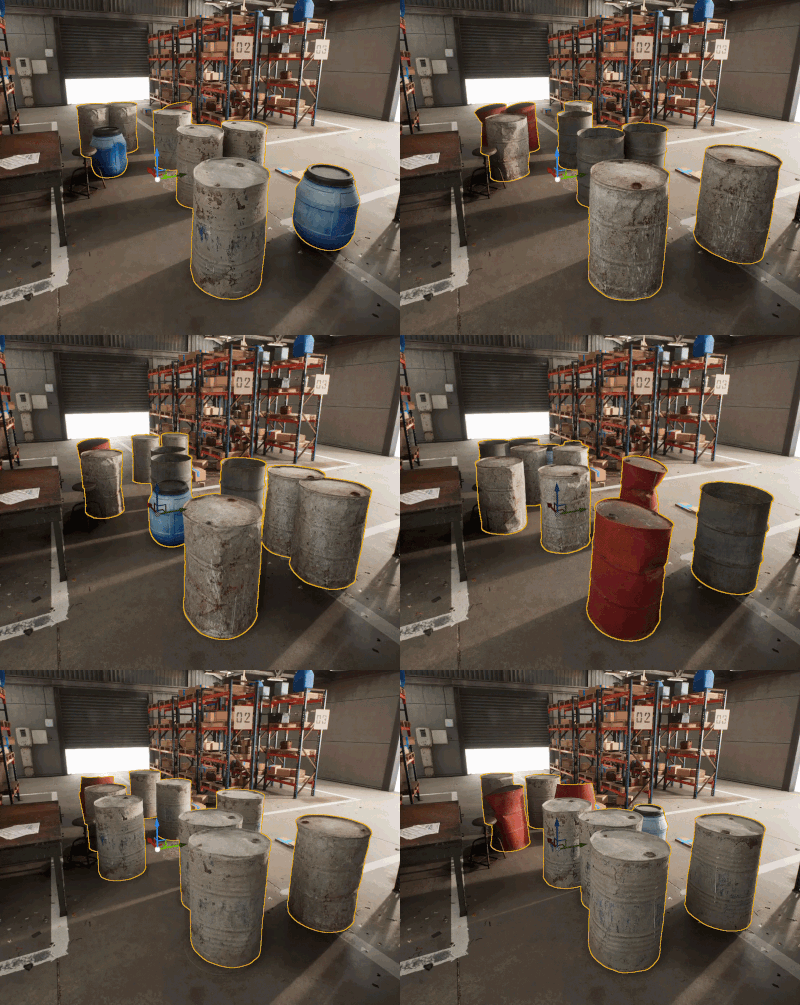
The system uses mesh and placement seeds to control randomness. This means users can generate different variations while keeping results reproducible when needed.
Stacking system
/uploads/library/2026/08/57a5eccb-efa1-4100-b18e-eacc73cc8acf-stacking-ezgif-com-resize.gif
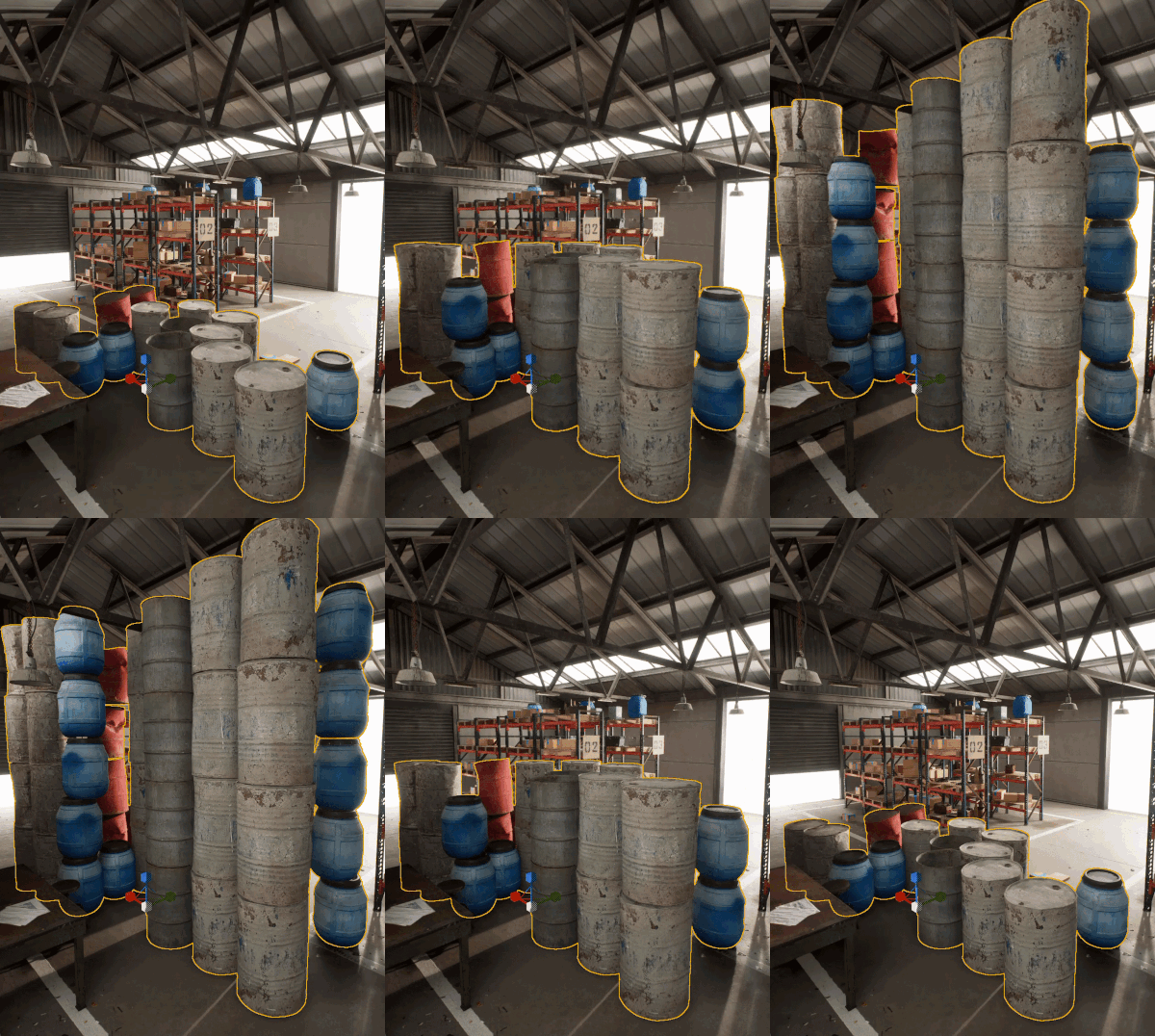
Assets can stack on top of one another in a controlled way, which is especially useful for props like boxes or objects placed on shelves.
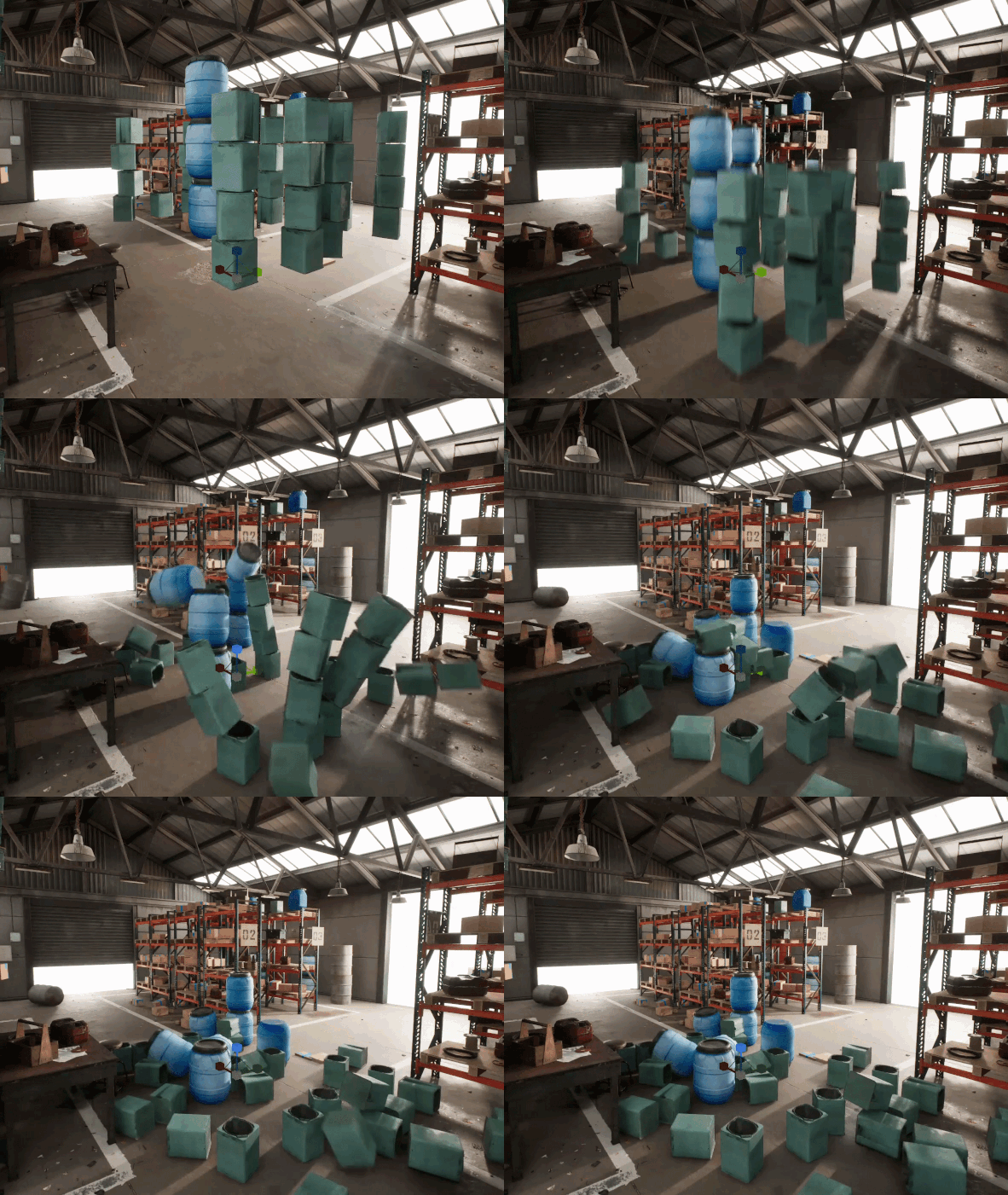
Physics-based placement
/uploads/library/2026/08/7914ef03-f66b-4fc2-bbb6-06e8d8946e9f-physics2-ezgif-com-resize.gif
Objects can be dropped using physics simulation, which helps create more natural and believable placement.
Normal-based surface scattering
The tool detects surface normals, allowing objects to align correctly with slopes or angled surfaces.
Density culling
Users can control scatter density to avoid overcrowding and improve performance.
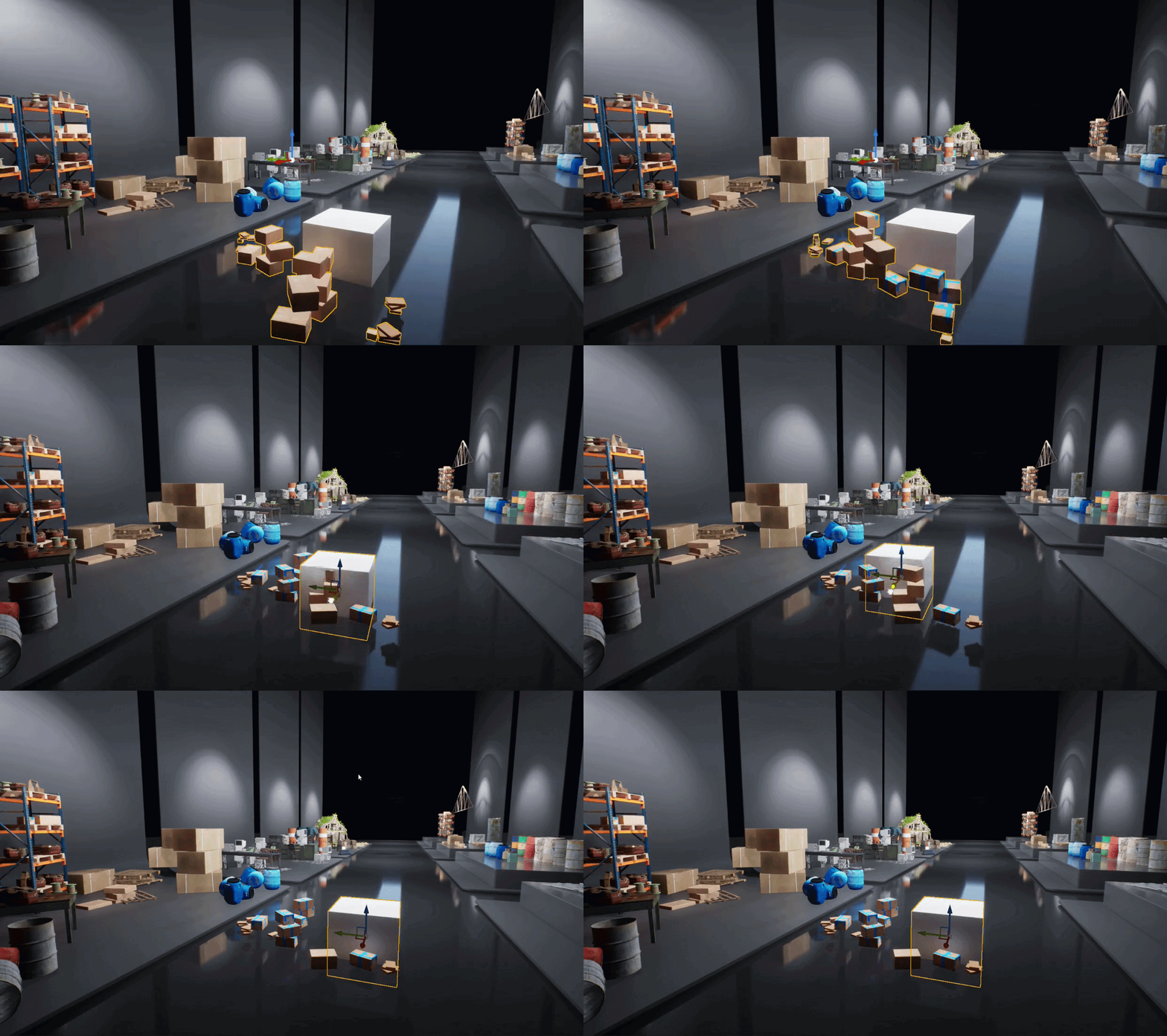
Tag-based cutter objects
/uploads/library/2026/08/bbcb8682-d0a1-4a89-bd9e-7b9d758a2503-cutter.gif
Specific objects can be used as cutters to remove scattered meshes in selected areas, giving artists more precise control over the final composition.
Data Table Integration
To make the system more artist-friendly, the scatter input is handled through a Data Table. This lets users manage scatter assets in one place, defining meshes, weights, and scale values without having to modify the tool itself.
To streamline this workflow even further, I also built a small asset utility called the Data Table Helper Tool. Instead of manually assigning meshes one by one, users can select meshes in the Content Browser and press an Assign to Data Table button. The script then automatically assigns the selected meshes to the Data Table, gives them random weight values, and defaults the scale to 1. This makes the setup process much faster and more convenient.
Testing in a Warehouse Environment
To test the Scatter Tool, I applied it in a warehouse environment and experimented with several different themes and setups, including industrial scenes, office spaces, street environments, and foliage-based layouts. Using the tool, I was able to generate scenes and iterate on layouts much faster than with traditional manual placement.
What’s Next
The next step in this project is to expand the procedural workflow even further. I’ve already started working on a procedural building generation system, which is currently still in progress.
Looking Ahead
This internship has been a great opportunity to dive deeper into Unreal Engine’s procedural systems and explore how technical tools can support environment artists. By combining procedural logic with artist-driven controls, it’s possible to significantly speed up workflows while maintaining creative flexibility. I’m excited to continue developing these systems and see how they can be applied to larger environments and production pipelines.