Unlock the future of neurosurgery with the Medical Viewer, the browser-based 3D platform that turns complex CT scans into instant surgical roadmaps. Powered by advanced AI, it maps the brain and pins tumor boundaries with millimetre precision—no software, no setup, just pure clinical clarity.
Medical Viewer
Brain tumor surgery demands precision. Every millimetre matters. The Medical Viewer is a web-based 3D visualisation platform that puts AI-generated insights directly in the hands of neurosurgical teams delivering a complete, interactive picture of a patient's anatomy before they ever enter the operating room. No software installation. No complex setup. Open a browser, select a patient, and get an instantly explorable 3D model of their brain, their tumour, and the safest path to reach it.
How It Works: From image modalities to surgical clarity
Step 1 AI Analyses the Patient's Scan
Before a surgeon ever opens the viewer, a powerful AI pipeline processes the patient's CT scan and does the heavy lifting automatically:
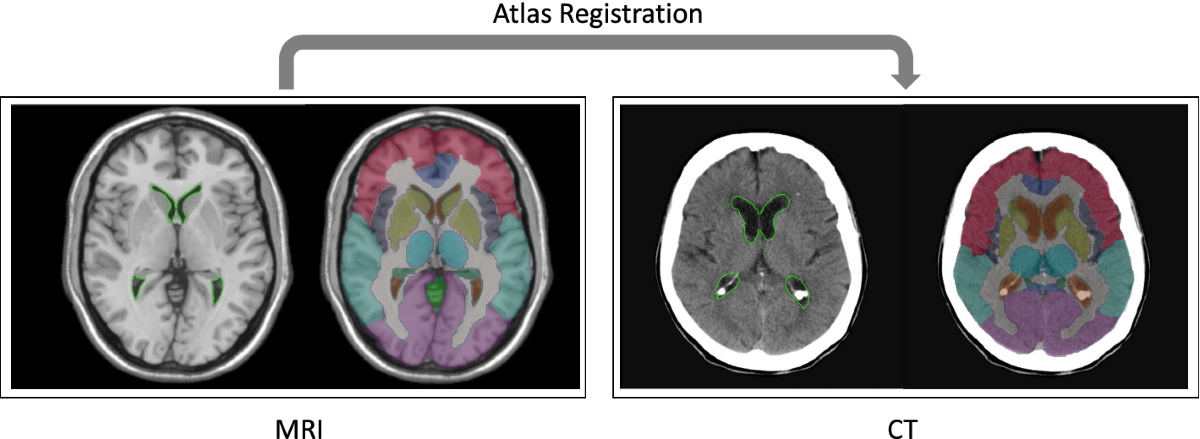
- Brain mapping via atlas registration: The AI aligns the patient's CT and MRI images compensating for differences in head size, shape, and scan angle. The result is a precise, labelled map of every major brain structure: cortical lobes, sub-cortical nuclei, white matter tracts, cerebellum, and brainstem, all in the patient's own coordinate space.
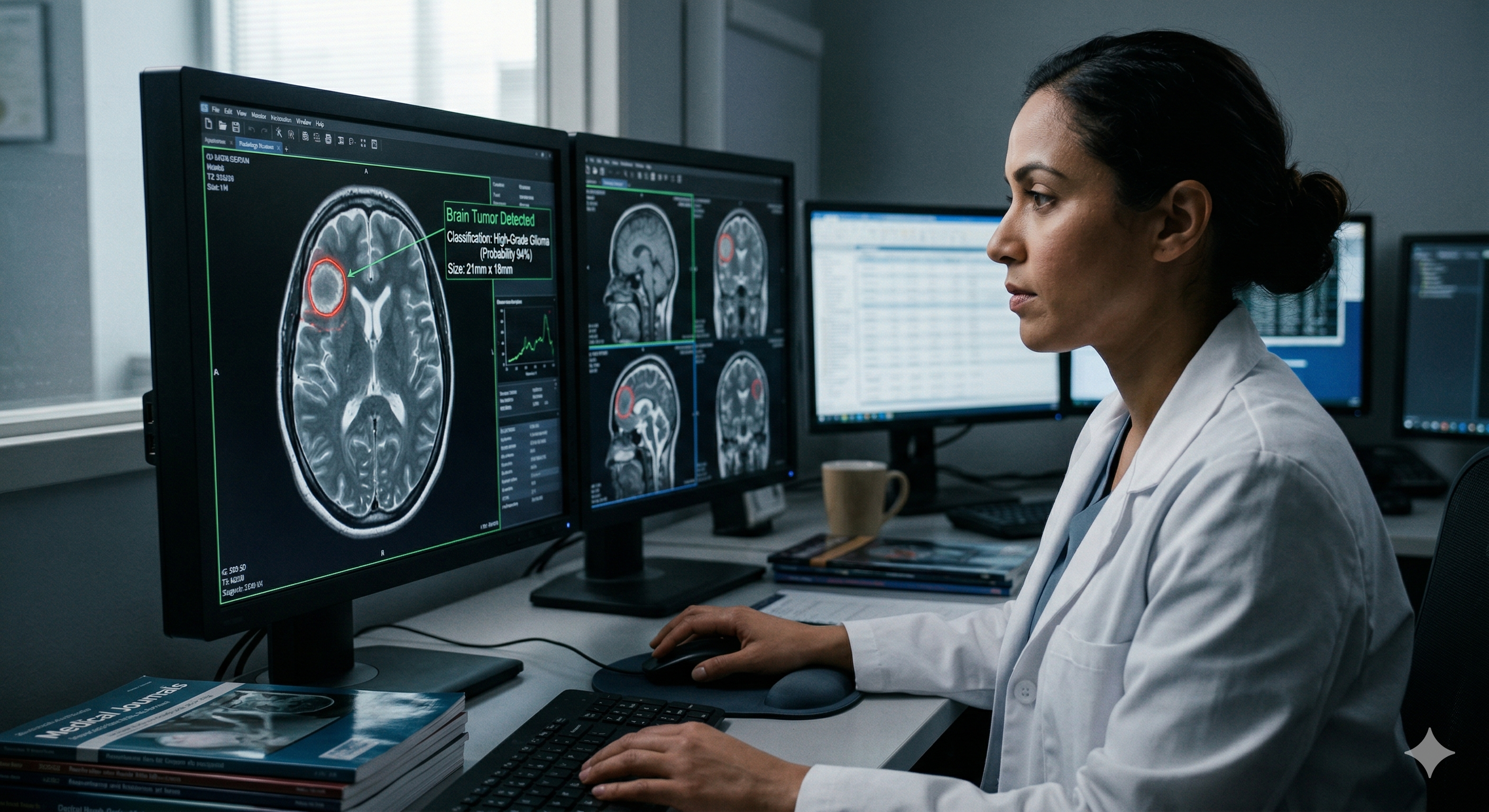
- Tumour detection and delineation: A deep learning model scans the CT for signs of a tumour. When one is found, it automatically traces the tumour boundaries at millimetre resolution producing a detailed 3D outline of exactly where it sits within the brain. Patients with no detected tumour are flagged accordingly, so the clinical team always knows where they stand.
Step 2 One Click Loads Everything
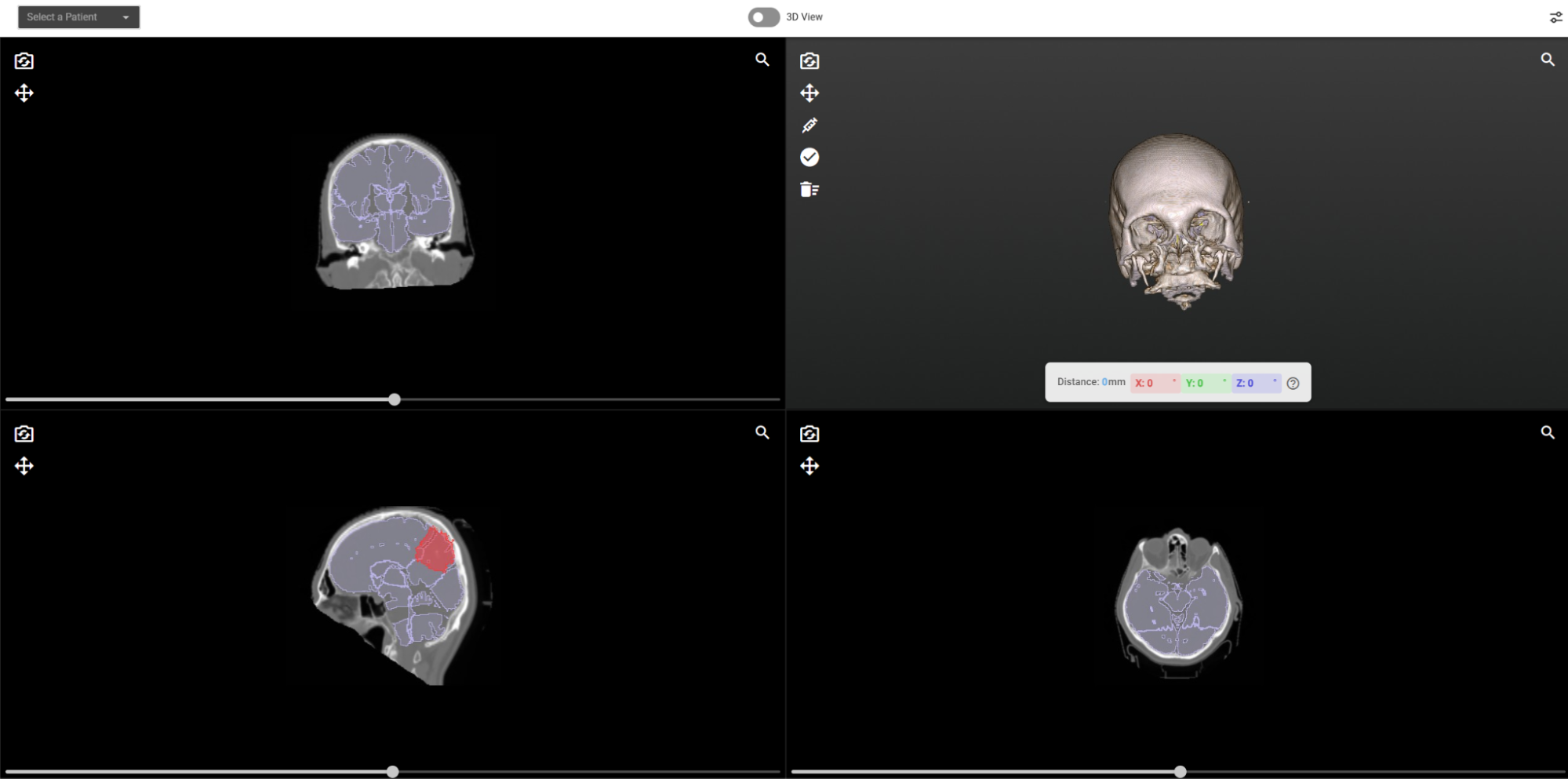
The surgeon selects a patient from a simple dropdown. Within seconds, the viewer loads:
- The full CT volume for anatomical context.
- The AI-generated brain region map, colour-coded by structure.
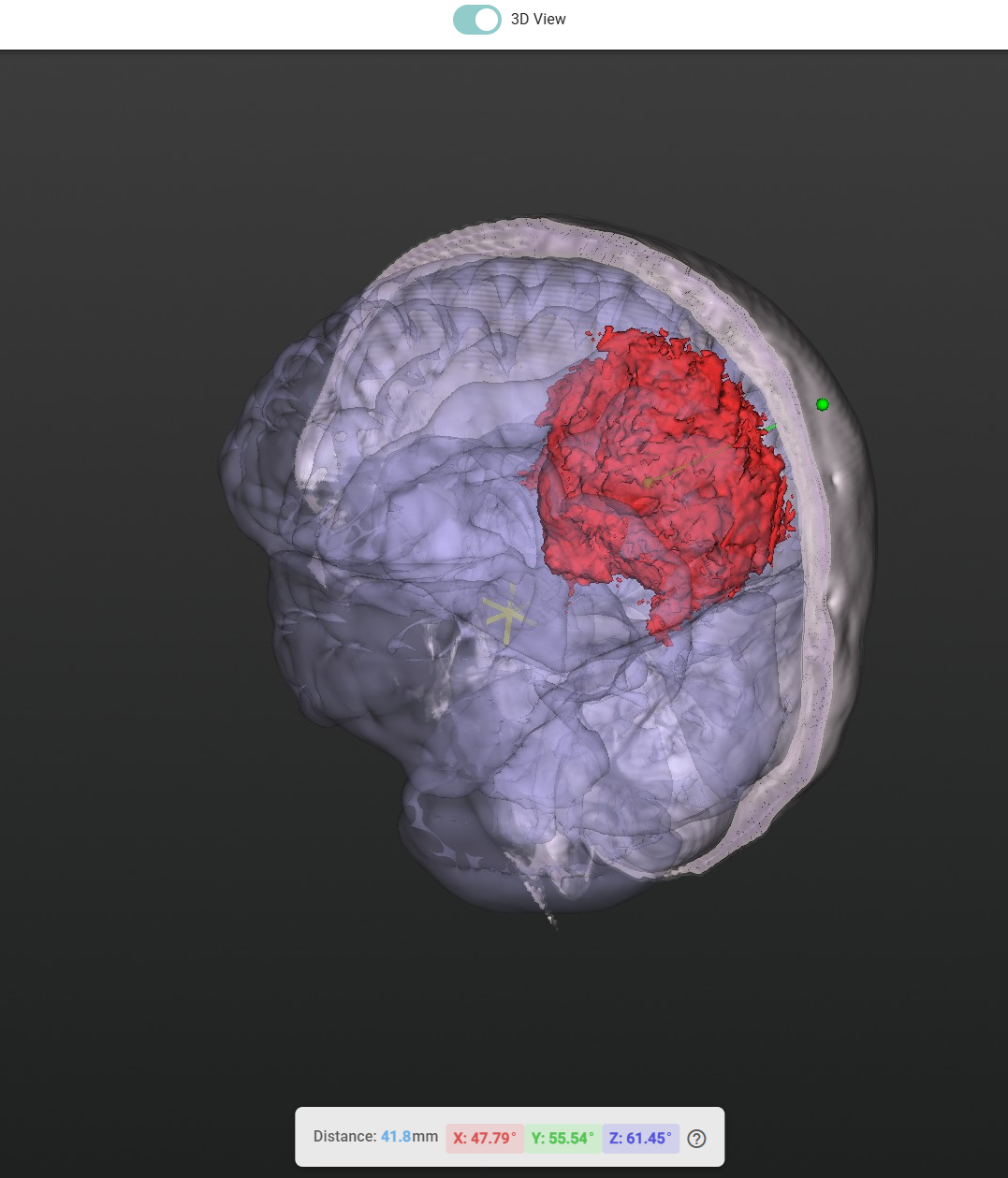
- The AI-detected tumour, highlighted prominently in red.
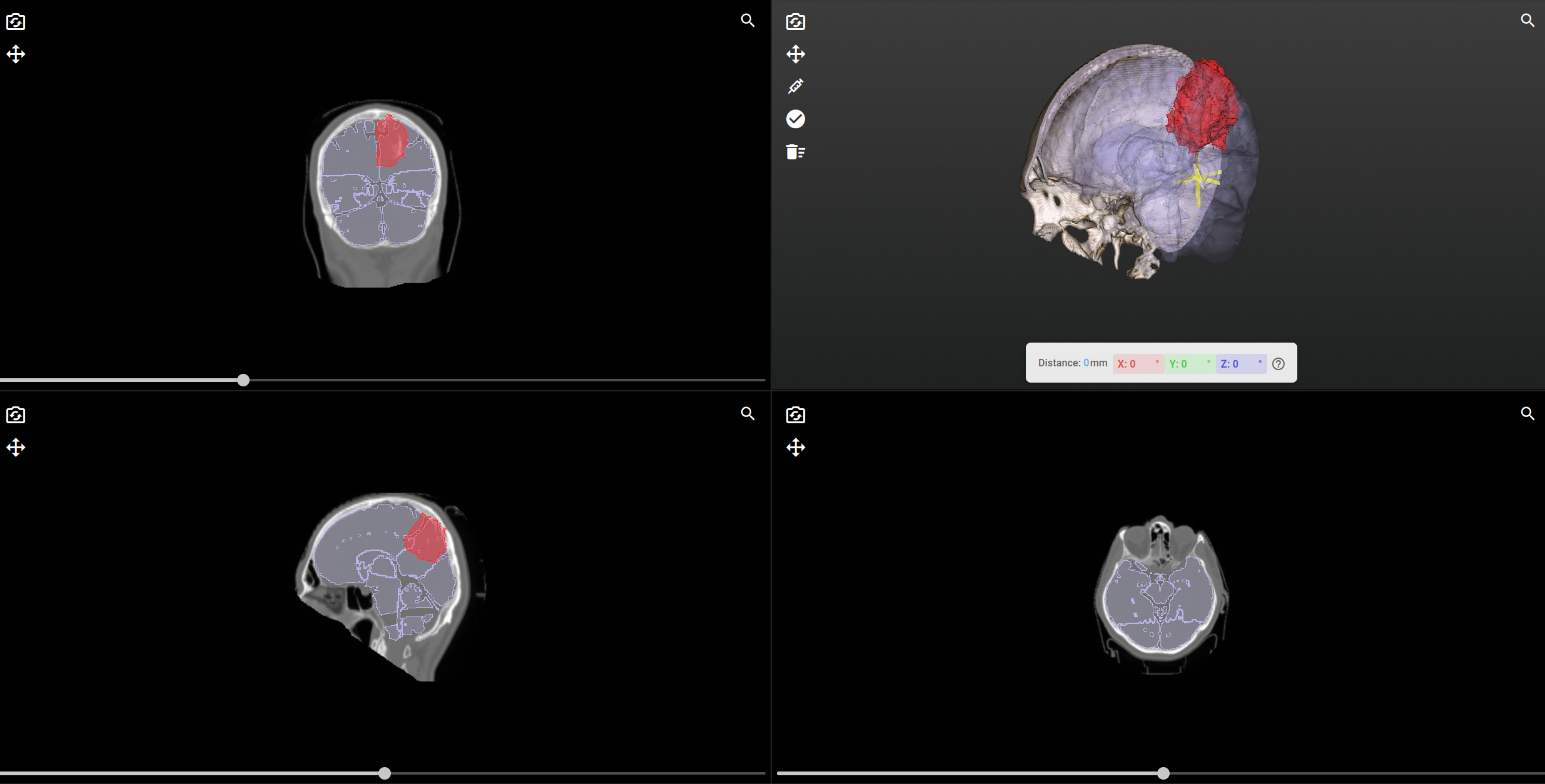
All three are displayed simultaneously in both 2D cross-sections and an immersive 3D model.
What Clinicians Can Do
Explore in 2D and 3D, Simultaneously
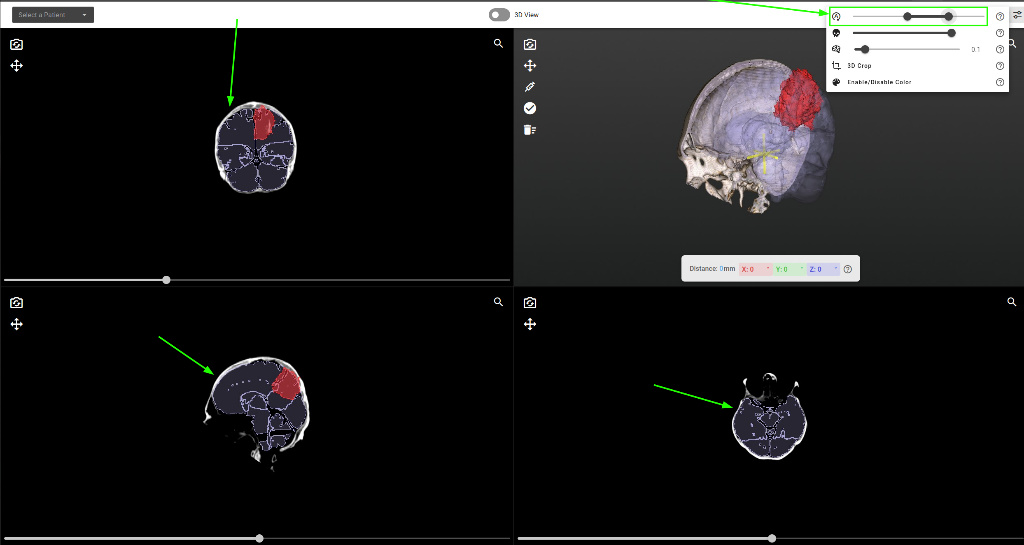
Switch between a familiar multi-planar view axial, coronal, and sagittal slices displayed side by side and a full-screen, rotatable 3D model with a single click. Both views update in real time as the clinician interacts.
See Through the Skull
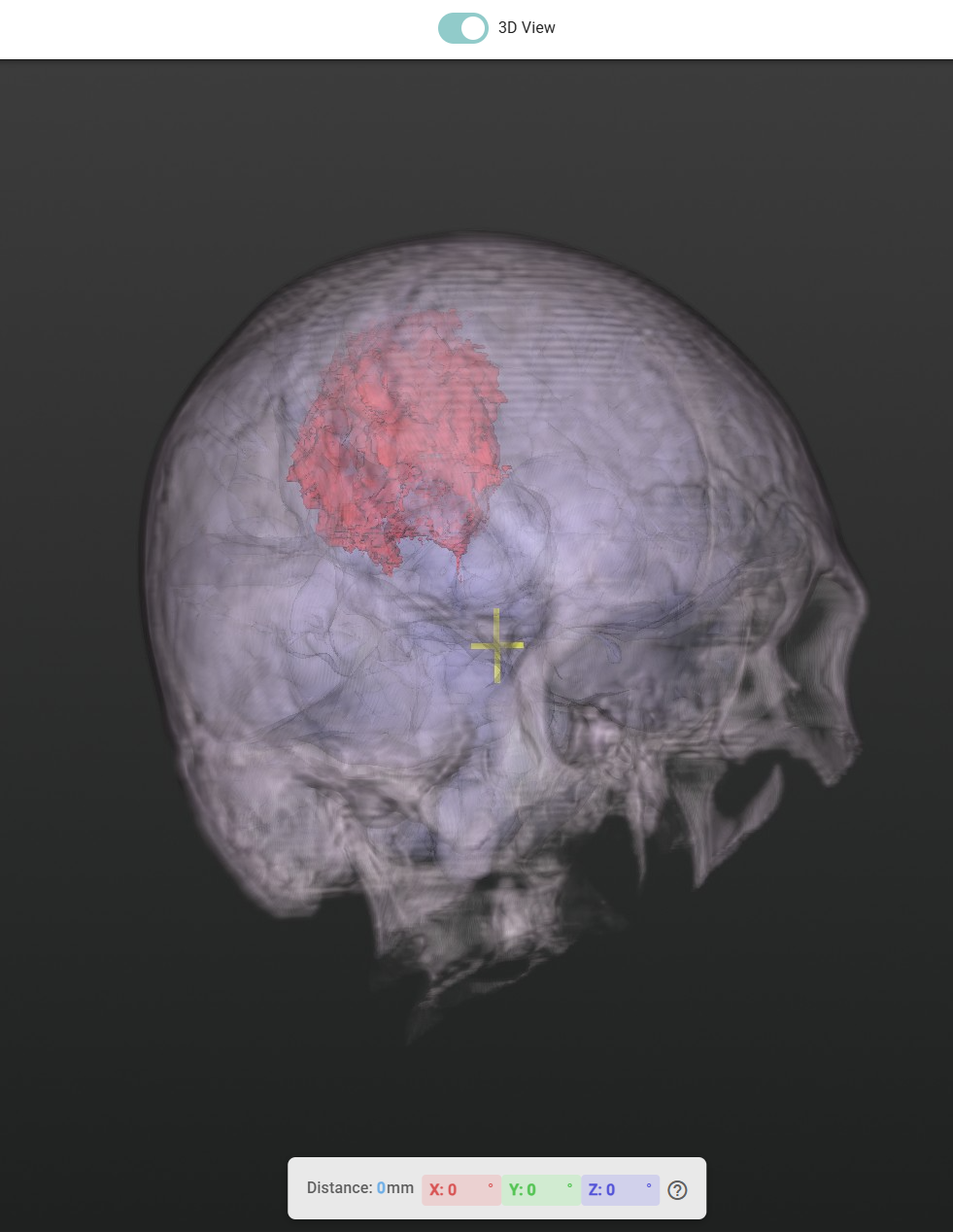
With a single slider, the skull can be made progressively transparent, revealing the tumour and surrounding brain structures beneath without losing anatomical context. Surgeons can dial in exactly the level of transparency they need, then restore the skull view instantly.
Control Brain Visibility Independently
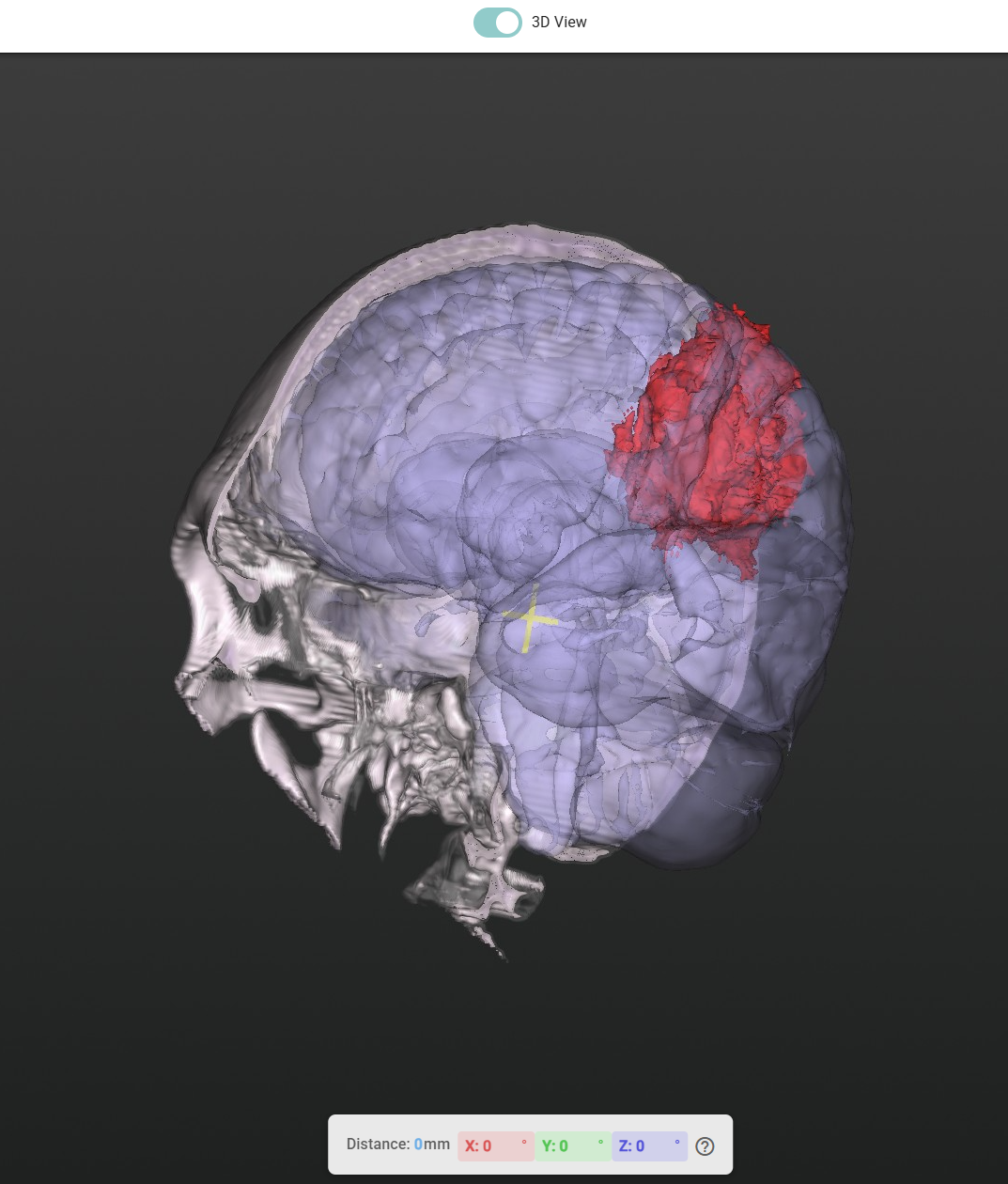
The brain atlas overlay and the tumour overlay have completely independent visibility controls. Want to see just the tumour floating in space? Hide the brain structures. Want to understand the tumour's relationship to the thalamus or motor cortex? Bring them back. The toggle is instant and non-destructive.
Fine-Tune Image Contrast
Auto-optimised contrast settings are applied on load, but clinicians can manually adjust the brightness and contrast range with a dual-handle slider to bring out specific tissue types, bone detail, and soft tissue.
Assisted Needle Trajectory Planning
For biopsies and minimally invasive procedures, precise needle placement is critical. The Medical Viewer includes a built-in trajectory planning tool that makes this faster and more intuitive:
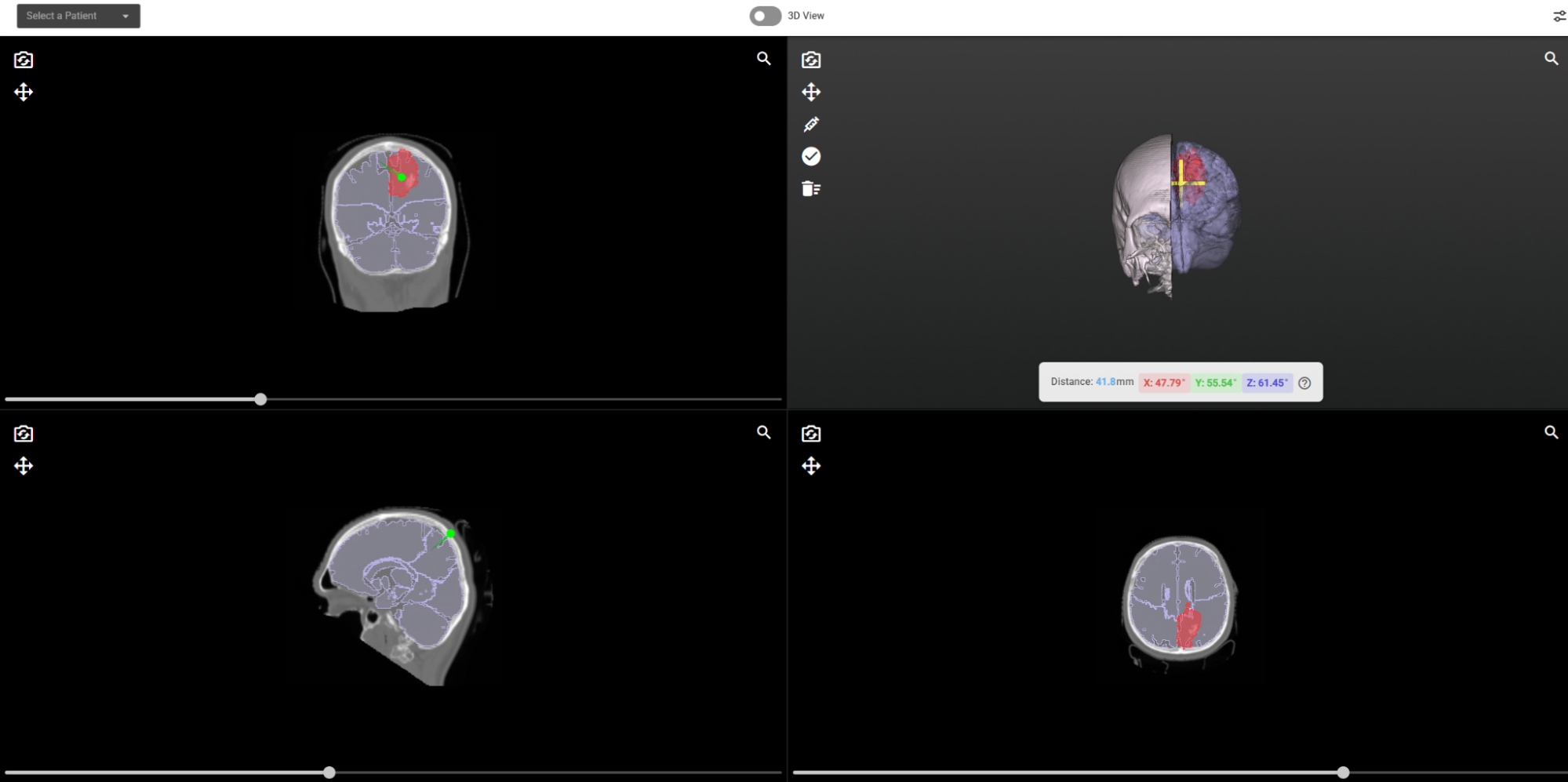
- Click to place the entry point on the skull surface in the 3D view.
- The algorithm automatically targets the tumour; it identifies the tumour's centre of mass and draws the optimal straight-line trajectory from your entry point to the target.
- Live measurements update in real time as you refine the entry point:
- Distance from skull to tumour (in millimetres).
- Needle angles along each anatomical axis (X, Y, Z), so the surgical team knows exactly how to orient the instrument.
- Lock the trajectory when satisfied the planned path is frozen for documentation or handoff.